Car Play Sync for Android Auto
- 4.5
- Rating
- 1.00M
- Installs
- Free
- Price

 Analysis by App-foxy
Car Play Sync for Android Auto is the kind of app I would look at when the usual gap between my phone and my car’s screen becomes frustrating. It sits in the Auto & Vehicles category and combines a digital car-key and launcher concept with screen mirroring, an Android dashboard, and a remote wireless link. In daily use, that makes it less like a single-purpose driving tool and more like a bridge between an Android phone and the in-car display.
I found the idea appealing because the best car interface is usually the one that keeps me from handling the phone while driving. Instead of jumping between unrelated phone apps, I can use a more vehicle-focused starting point and keep navigation, media, and communication closer to the dashboard experience. The important caveat is that this is a connectivity app: its value depends heavily on how well the phone, car display, wireless connection, and chosen functions cooperate.
Developed by BLOOMUP, the app is free to install and suitable for Everyone. It has reached over a million installs and holds a 4.4 average from around thirty-four thousand ratings, which suggests that the concept has found a sizeable audience. The current version is 1.31.4, and it runs on Android 7.0 or later. Some functions can involve in-app purchases, with individual items ranging from around fifteen to fifty dollars, so I would explore the available experience before assuming every part of the app is included at no cost.
You May Also Like

 AccuWeather: Weather Radar
AccuWeather Review: A Quick, Clear Forecast for Everyday Decisions
For everyday plans, the best forecast is the one you can understand quickly. AccuWeather makes rain timing, radar, and local conditions easy to act on, with a few trade-offs.

 Hill Climb Racing
Why Hill Climb Racing Still Turns Crashes Into One More Run
A tiny car, a bumpy hill and one more upgrade: Hill Climb Racing keeps resurfacing because its simple chaos makes every near-miss feel personal.

 AliExpress - Shopping App
AliExpress Makes Global Shopping Feel Personal, but Shoppers Bear the Risk
AliExpress turns a global marketplace into a pocket-sized discovery engine. Its reach is useful, its shopping loop compelling, and its trade-offs easy to miss.

 Lords Mobile: Kingdom Wars
Lords Mobile Is a Kingdom-Building Routine, Not a Quick Match
A case-by-case verdict on the building, battles, device demands, and social commitments that make Lords Mobile rewarding for some players and exhausting for others.

 PDF Scanner app - TapScanner
TapScanner Makes Paperwork Easier to Capture, Check, and Share
TapScanner makes scanning with a phone feel less like a rescue operation and more like a dependable step in getting work done. Its capture tools are useful, though not flawless.

 Block Blast!
 Shows How Much a Puzzle Game Can Leave Out
A quiet grid game shows why puzzle players increasingly value instant clarity, repeatable skill and low-pressure play—and where the genre still needs to catch up.
More From Our News Desk
View All News


How Car Play Sync behaves when the connection matters
When connection reliability matters, I pay attention not just to whether the dashboard appears once, but to how the app handles the small transitions of a real trip: getting in, pausing, restarting, and handing a task to a passenger. I’d test those moments while parked and decide in advance what I’ll do if the display doesn’t return promptly. That routine helps distinguish a useful convenience from one more thing to troubleshoot on the road.
The first setup is really a compatibility check
My first recommendation is not to treat the app as a magic replacement for every factory car system. The store summary presents it as a digital car key or launcher, a screen-mirroring tool, an Android dashboard, and a remote wireless link. Those are useful building blocks, but each one depends on the hardware and connection path available in a particular vehicle.
That distinction matters. A phone may connect to a car for audio but still behave differently when a dashboard interface or screen mirror is involved. Wireless pairing can also be more sensitive than a simple wired connection. Before relying on it for a long journey, I would test the exact combination of phone, vehicle display, cable or wireless method, and the apps I expect to use.
The most sensible workflow is to begin while parked. I would open the app, check whether the car display appears as expected, try the dashboard view, and confirm that the controls I need are visible without digging through several menus. This is not just a convenience test. It tells me whether the connection is stable enough to become part of a driving routine rather than another distraction.
Wireless convenience comes with a different kind of friction
The remote wireless link is attractive because it can reduce the need to reach for a cable every time I get into the car. That convenience is especially noticeable on short trips, where connecting a phone manually can feel like more work than the journey itself. A wireless setup also makes the experience feel closer to a permanent part of the vehicle.
At the same time, wireless convenience creates more variables. The phone may be busy with another connection, the car may take longer to recognize it, or the dashboard may appear only after reopening the app. I would not judge the application solely by the first successful connection. The real test is whether it reconnects predictably after several ordinary starts, stops, and short drives.
A useful habit is to keep a simple fallback ready. If the wireless link does not appear, I would avoid repeatedly tapping through settings while seated behind the wheel. Instead, I would stop, switch to the car’s normal connection method if available, or use the vehicle’s built-in controls. The safest setup is the one that fails quietly and gives me an obvious alternative.
Mirroring is useful, but it is not automatically the best dashboard view
Screen mirroring sounds flexible because it can bring more of the phone experience to the car display. I can see why that appeals to drivers who want continuity between the handset and the dashboard. However, a mirrored phone screen is not always as comfortable to operate as a purpose-built in-car interface. Small controls, changing layouts, and notifications can make the display feel busy.
For that reason, I would use the Android dashboard as the first choice for routine driving and reserve mirroring for situations where it genuinely adds value. The dashboard concept should make the common actions easier to reach, while mirroring is better understood as a broader access option. That is an important trade-off: flexibility can increase the amount of information competing for attention.
I also would not start mirroring before the car is moving and then adjust the layout on the road. A better approach is to configure the view while parked, remove anything unnecessary from the immediate workflow, and begin driving only after the screen feels predictable. This small preparation step makes the app more practical than simply assuming that a larger version of the phone screen is automatically safer.
Everyday mobile contexts where it makes sense
The strongest use case I found is the short, repeated journey. Imagine leaving work for a grocery run: I get into the car, the phone connects, and the dashboard gives me a familiar starting point for navigation or media without requiring me to hold the handset. On that kind of trip, reducing setup effort is more valuable than having a large collection of advanced features.
It can also suit drivers who move between vehicles or who use an older car with a less capable display. The app’s combination of launcher, dashboard, mirroring, and wireless-link ideas gives the phone a more central role. That does not turn every screen into a modern factory infotainment system, but it can make an existing setup feel more connected.
Passengers are another practical context. If someone else is choosing music or checking a route, mirroring may be more useful than a compact dashboard view. I would still keep the driver’s controls simple and let the passenger handle anything that requires browsing or repeated interaction. The app works best when it supports a clear division between driving tasks and passenger tasks.
For delivery drivers, commuters, and people who spend a lot of time moving between destinations, the launcher-style approach may save repeated phone handling. The benefit is not that it eliminates every step; rather, it can put the relevant tools in one vehicle-oriented place. That consistency is more important than novelty when the same routine happens several times a day.
What happens when the connection breaks
Connectivity failures are where I would judge this app most critically. A dashboard that appears only sometimes is more frustrating than a basic setup that works every time. If the screen mirror stops responding, the wireless link drops, or the phone and car fail to reconnect, I need a recovery path that does not involve experimenting while driving.
My recovery routine would be deliberately boring: pull over when necessary, check whether the phone is still connected to the vehicle, reopen the app, and try the car’s ordinary connection option if the app-based route does not recover. I would also check the physical cable when using one, since a loose connection can look like an application problem. These steps are simple, but having them in mind prevents random troubleshooting on the road.
There is a subtle difference between an app that reconnects after a delay and one that silently loses its place. If the dashboard returns to a predictable starting screen, recovery feels manageable. If I have to rebuild the setup each time, the convenience disappears. I would therefore spend a few days testing normal interruptions before making it the only interface I depend on.
Another realistic failure is a phone that is already busy. A navigation app, audio service, notification, or system-level connection can compete for attention and resources. I would start the car with unnecessary phone activity closed or minimized, then launch the driving view before setting off. This is not a guarantee of perfect behavior, but it reduces the number of moving parts.
Data-conscious use without guessing about network behavior
Because the app connects phone and vehicle functions, I would think about data use as part of the setup rather than as an afterthought. Screen mirroring can encourage longer periods of phone-based activity on the car display, and navigation or media services may use their own mobile data. The app should not be blamed for every byte consumed by another service, but the combined experience can make data habits more noticeable.
My practical approach would be to prepare routes and playlists through the services I already use before leaving, then keep the dashboard focused on the actions needed during the trip. I would also review the phone’s data-usage screen after a few journeys instead of relying on assumptions. That gives me a clearer picture of whether the main cost is the connection itself or the apps being displayed through it.
Battery use deserves similar attention. A phone acting as the source for a dashboard, wireless link, and mirrored display may work harder than it does in a pocket. On longer drives, I would keep a reliable charging method available and position the phone so that heat and visibility are not creating a new problem. The app can improve access to the screen while still leaving the phone responsible for much of the underlying work.
Privacy is also part of the decision, even without making claims about policies or permissions. Mirroring naturally places more of the phone experience in view, so I would avoid leaving sensitive conversations, account screens, or unrelated notifications exposed on the vehicle display. A focused dashboard is preferable when other people are in the car or when the vehicle is being shared.
How it compares with built-in systems and ordinary phone mounts
Compared with a factory infotainment system, Car Play Sync for Android Auto offers a more phone-centered route. That can be an advantage for an older vehicle or for someone who prefers the Android environment already familiar on their handset. The trade-off is that the factory system is usually designed around that specific car, while this app must work across a wider range of phones and displays.
Compared with a basic phone mount, the app can provide a cleaner dashboard-style experience and a larger shared display when the connection works. A mount is simpler, easier to understand, and less dependent on pairing, but it leaves the phone physically exposed and may require more direct interaction. I would choose the mount for maximum simplicity and the app when the car screen and wireless connection are dependable.
It also occupies a middle ground beside dedicated Android Auto solutions. Those alternatives may feel more polished when a vehicle officially supports them, while this app is more interesting for people trying to connect an Android phone to a setup that does not offer the exact experience they want. I would not replace a stable native system merely for the sake of adding another layer.
The digital car-key angle deserves caution in expectations. It is a notable part of the app’s positioning, but I would not assume that installing the app alone turns any car into a keyless vehicle. The usefulness of that function depends on the vehicle and the compatible connection conditions. For most readers, I would treat it as a feature to investigate for a specific car, not the main reason to download blindly.
Who will appreciate it, and who should skip it
I think it is a good fit for Android users who want a more organized car interface, especially those with a vehicle display that feels underused or disconnected from the phone. It is also worth considering for commuters, frequent short-trip drivers, and people who prefer wireless access over plugging in every time.
I would be more hesitant to recommend it to someone who wants a completely hands-off experience with no setup or troubleshooting. If the car already has a reliable built-in system that handles navigation, media, and calls comfortably, adding another connection layer may create more complexity than value. Drivers who rarely use a dashboard display may also gain little from the launcher and mirroring approach.
It is not the right choice for experimenting while driving. The app’s usefulness depends on preparation, and its connectivity features deserve testing while parked. Anyone who cannot accept occasional pairing checks or a fallback routine may be happier with a simpler mount or the vehicle’s original controls.
What the free download does and what to consider before paying
The app is free to download, which makes trying the basic concept relatively approachable. I would use that opportunity to test the exact car connection, the dashboard layout, and the reliability of returning to the app after the phone has been locked or the vehicle has been restarted. Those practical checks tell me more than the feature names alone.
In-app purchases range from around fifteen to fifty dollars per item. That is a meaningful price range, so I would not unlock anything until I understood which part of the experience it changes and whether that part solves a problem I actually have. A driver who only needs a simple launcher may not value the same purchase as someone focused on mirroring or wireless access.
The app’s Everyone rating makes it broadly approachable from an age-classification perspective, but that does not remove the need for responsible use in a car. The important boundary is operational: configure it before moving, keep interactions brief, and let passengers handle anything that requires browsing. A friendly age rating is not a substitute for safe driving habits.
My connectivity verdict
After looking at the app through the realities of wireless pairing, mirroring, mobile data, and recovery, I see Car Play Sync for Android Auto as a useful connector rather than a universal replacement for a car’s own system. Its strongest quality is the way it gathers several phone-to-car ideas into one experience: a vehicle-oriented launcher, an Android dashboard, screen mirroring, and a remote wireless link.
I would recommend it to a friend who has a compatible Android phone and wants to make an existing car display more useful, provided that friend is willing to test the setup carefully. The app is most convincing on routine journeys where a predictable connection reduces phone handling. It is less convincing when the car already has an excellent native interface or when the user expects every vehicle to behave identically.
The large audience and 4.4 average are encouraging, but my decision would still come down to the individual car. I would install it, test the connection while parked, measure how it behaves across several starts, and watch mobile data and battery use during normal trips. If those checks go well, the free entry point makes the experiment reasonable; if they do not, a basic mount or built-in system is the better answer.
My final view is positive but practical: Car Play Sync for Android Auto is worth trying when connectivity is the problem you want to solve, not when you are looking for a completely connection-free replacement for your vehicle’s controls. Used with a clear fallback and a restrained dashboard setup, it can make an older or less flexible car feel considerably more useful without asking me to handle my phone as often.
FAQs for Car Play Sync for Android Auto
01What are the main features of Car Play Sync for Android Auto?
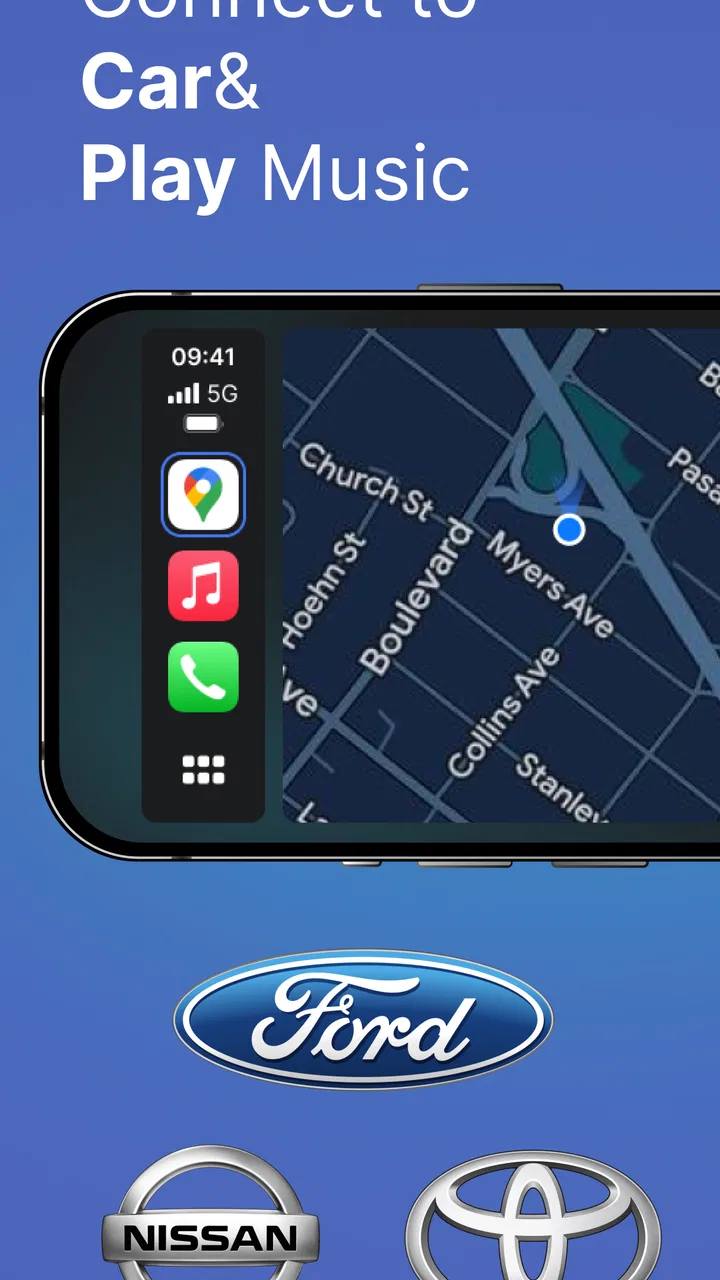
Car Play Sync for Android Auto offers a seamless integration of your smartphone’s functionality directly into your car’s infotainment system. It provides features like GPS navigation, hands-free calling, messaging, and access to music apps. The app is designed to mirror your phone’s display, ensuring an intuitive and user-friendly experience while driving.
02Is Car Play Sync for Android Auto compatible with all vehicles?
Car Play Sync for Android Auto is compatible with most vehicles that support Android Auto. However, it’s important to check your car manufacturer’s specifications to ensure compatibility. Some older models may require additional hardware or software updates to work seamlessly with the app.
03Does Car Play Sync for Android Auto require a paid subscription?
Car Play Sync for Android Auto offers both free and premium versions. While the free version includes basic functionalities such as navigation and messaging, the premium version unlocks additional features like advanced voice commands and ad-free usage. Users can choose the plan that best fits their needs and budget.
04How does Car Play Sync for Android Auto enhance driving safety?
The app enhances driving safety by allowing users to control phone functions hands-free through voice commands and steering wheel controls. This minimizes distractions by keeping your focus on the road. Additionally, its navigation features provide real-time traffic updates to help avoid congested routes, further promoting safe driving.
05What are the system requirements for using Car Play Sync for Android Auto?
To use Car Play Sync for Android Auto, you need a smartphone running Android 6.0 (Marshmallow) or higher. A stable internet connection is also essential for features like real-time navigation and music streaming. Furthermore, your car's infotainment system must support Android Auto for a seamless integration.
Pros
- Seamless integration with various car models.
- Easy-to-use interface with intuitive controls.
- Supports voice commands for hands-free operation.
- Wide range of compatible apps available.
- Regular updates improve functionality.
Cons
- Limited customization options for interface.
- May experience occasional connectivity issues.
- Some features require a subscription.
- Battery usage can be high during prolonged use.
- Not all apps are fully supported.

Car Play Sync for Android Auto
Gallery